Chips of Fury is a multiplayer poker game we built with Flutter. It runs on iOS, Android, and the web. When working on our game promotion strategy, we quickly explored the possibility of bringing our game to other platforms to reach an even bigger audience.
Discord stood out as an easy choice. Flutter compiles to web; Discord activities are just web apps in an iframe - how hard could it be?
This is the story of what we learned the hard way.
The Promise
Discord Activities are essentially web apps running inside an iframe within the Discord client. Discord provides an Embedded App SDK that lets your app access Discord features: user information, voice channel state, authentication, and more.
We tried running an example app from the Embedded App SDK tutorial, and it was pretty straightforward: initialize the Discord SDK, set up a tunnel to the local development server, and set the public URL from the tunnel in the Developer Portal.
At first glance, we thought that all we had to do was integrate the SDK via JavaScript interop and that's it. We built the web version of our game, started up a static server locally, created a tunneled connection to it with Cloudflare, aaaand...
Nothing.
The Sandbox
Before we show you what exactly didn't work on the first try, it helps to understand how Discord Activities work.
Your Activity is loaded inside an iframe pointing to https://<your-client-id>.discordsays.com. In the previous section, we said that the example app was running locally and we didn't have to upload anything. Rather, we had to expose the locally running server via a Cloudflare tunnel and make our activity's root mapping point to that local development server. If the tunnel name Cloudflare gave us is some-tunnel-address.com, we have to enter exactly that in the URL Mappings section of our activity's settings:
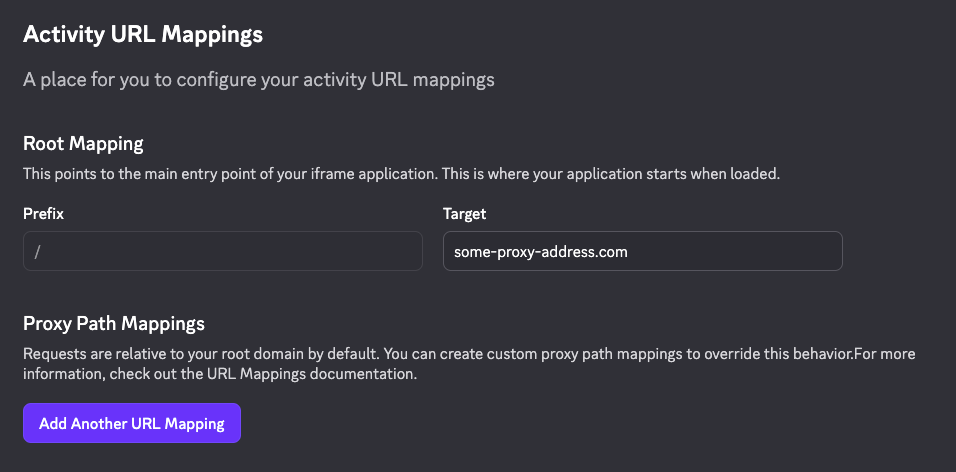
Discord doesn't host your activity (why would it?). Their discordsays.com proxy fetches your app and serves it through this sandboxed domain.
flowchart TB
    subgraph Client ["Discord Client"]
        Iframe["iframe (discordsays.com)"]
    end

    subgraph Proxy ["Discord Proxy"]
        Map["URL Mappings"]
    end

    subgraph Yours ["Your Infrastructure"]
        App["Web App Host"]
        API["Backend API"]
    end

    Iframe <--> Map
    Map <--> App
    Map <--> API
Why the sandbox? Probably privacy and security.
One way Discord ensures security is via Content Security Policy (CSP) - a browser feature that controls what resources a page can load. Discord's CSP is pretty strict and it's what caused us the most headache.
First Wall: Content Security Policy
Here's what Discord's CSP blocks:
- Inline scripts: No
<script>tags with code inside them - Dynamic script injection: No
document.createElement('script')followed by appending to the DOM - External domains: Only whitelisted domains (Discord's proxy system) can serve resources
- eval(): No dynamic code execution
Flutter's default build includes inline scripts for initialization, and our first build of the game threw CSP errors before Flutter even finished initializing in Discord.
Some of the violations were fixed by simply doing a CSP-compliant build:
flutter build web --csp
This flag tells Flutter to avoid inline scripts.
However, Flutter also tries to load CanvasKit (the rendering engine) from www.gstatic.com at runtime. For this to work, we bundled CanvasKit with our build instead of loading it from Google's CDN and configured the loader to use local files:
_flutter.loader.load({
  config: {
    canvasKitBaseUrl: "/canvaskit/"
  }
});
One wall down.
Second Wall: Local Server Tunnels
That third point from the Discord CSP became important again as we moved on to connecting the app to our servers.
Only whitelisted domains (Discord's proxy system) can serve resources
That sucked for us, because our game communicates with 2 different servers. That meant we needed to run 2 additional tunnels. Not only that, but we also quickly realized that having a constant tunnel URL would be very nice, since
cloudflared tunnel --url http://localhost:5173
gives you a random URL like some-random-words.trycloudflare.com that changes every time you restart the tunnel. You'd be lucky if you only had to set those 3 URLs once before your morning coffee. We wanted to avoid this useless work.
The fix was setting up persistent named tunnels with custom subdomains:
cloudflared tunnel create cof-discord-activity
cloudflared tunnel route dns cof-discord-activity cof-discord-activity.example.com
cloudflared tunnel run --url http://localhost:5173 cof-discord-activity
Of course, example.com has to be your domain name managed by Cloudflare name servers. If you can't do that - use ngrok or similar service where you can buy static addresses for your tunnels.
Anyway, now we had stable URLs that survived restarts. We set up three tunnels total - one for the Flutter app, one for the admin server, one for the game server - and configured the URL mappings in the Developer Portal:
| Prefix | Target |
|---|---|
/ |
cof-discord-activity.example.com |
/admin-server |
cof-admin-server.example.com |
/game-server |
cof-game-server.example.com |
All this means that instead of hitting https://admin.chipsoffury.com/endpoint directly, your app must access /admin-server that's proxied to the original server URL. Fortunately, that does not mean you have to fork your API call logic inside your application code. What you can do instead is use a utility function called patchUrlMappings provided by the Discord Embedded SDK. There you specify which calls to intercept:
/**
 * Patches browser APIs to rewrite external URLs to Discord proxy paths.
 *
 * When your app calls fetch("https://cof-admin-server.example.com/api/user"),
 * this function intercepts it and rewrites to "/admin-server/api/user".
 * Discord's proxy then routes that request to the actual server.
 *
 * @param mappings - Array of {prefix, target} objects:
 *   - prefix: The proxy path Discord will use (must match Developer Portal)
 *   - target: The actual external domain your code tries to reach
 *
 * @param options - Which browser APIs to patch:
 *   - patchFetch: Intercept fetch() calls
 *   - patchWebSocket: Intercept new WebSocket() connections
 *   - patchXhr: Intercept XMLHttpRequest.open() calls
 *   - patchSrcAttributes: Rewrite src/href attributes in DOM elements
 */
patchUrlMappings(
  [
    { prefix: "/admin-server", target: "cof-admin-server.example.com" },
    { prefix: "/game-server", target: "cof-game-server.example.com" },
    // This is to load some libraries from Google's CDN during runtime
    { prefix: "/gstatic/{subdomain}", target: "{subdomain}.gstatic.com" },
    // This is to make Apple auth work
    { prefix: "/apple-cdn", target: "appleid.cdn-apple.com" }
  ],
  {
    patchFetch: true,
    patchWebSocket: true,
    patchXhr: true,
    patchSrcAttributes: true
  }
);
All of the above mappings have to be mirrored in the Developer Portal:
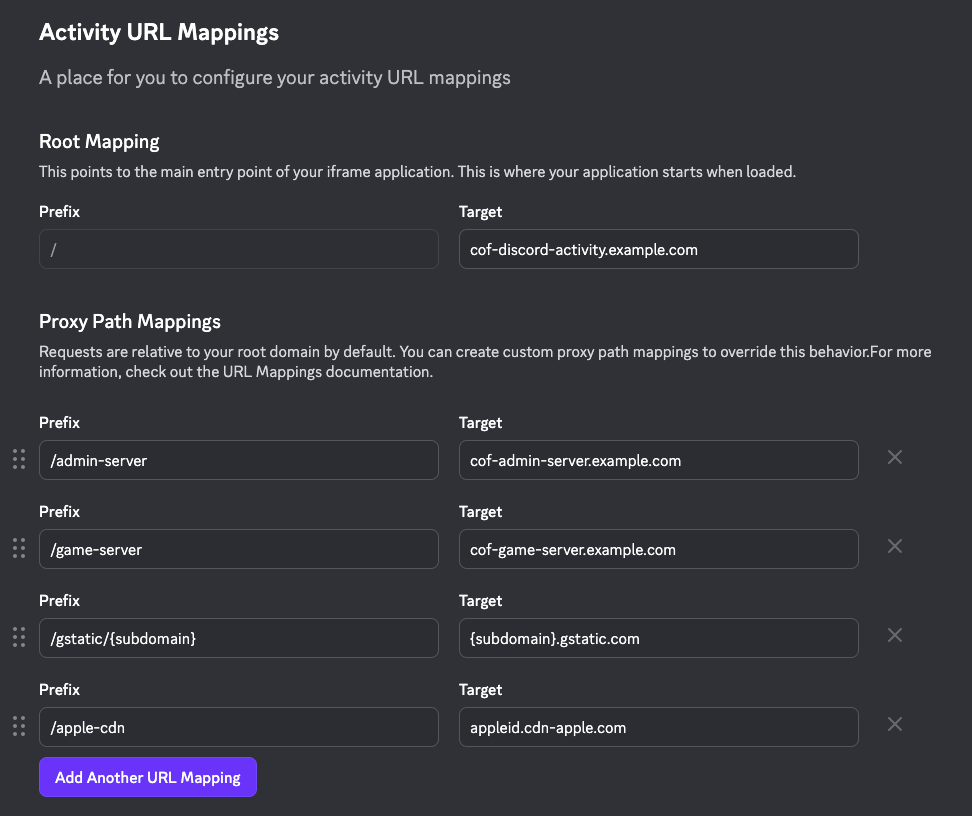
We were veeery confused as to why duplicate the mappings, but then it clicked:
- Developer Portal mappings tell Discord's proxy server which external domains are allowed and how to route requests. Without these, Discord blocks the request entirely.
patchUrlMappingsin your code rewrites outgoing URLs from your app. Your code callshttps://cof-admin-server.example.com/api, this function intercepts it and rewrites to/admin-server/api, which Discord's proxy then routes correctly.
One is server-side routing rules, the other is client-side URL rewriting. Here's how they work together:
sequenceDiagram
    participant App as Your App
    participant Patch as patchUrlMappings
    participant Proxy as Discord Proxy
    participant Server as Your Server

    App->>Patch: fetch("https://admin.example.com/api")
    Note over Patch: Rewrites URL to proxy path
    Patch->>Proxy: GET /admin-server/api
    Note over Proxy: Looks up "/admin-server" mapping
    Proxy->>Server: GET https://admin.example.com/api
    Server-->>Proxy: Response
    Proxy-->>App: Response
Don't worry - you'll get it, too.
Third Wall: Firebase Wants to Inject Scripts
We use Firebase for analytics, crash reporting, and messaging. Firebase's JavaScript SDK is modular - it loads additional code on demand. When you call firebase.analytics(), it dynamically injects the analytics module.
Dynamic script injection violates CSP. Every Firebase feature we tried to use threw errors:
Refused to load the script 'blob:https://...' because it violates the following Content Security Policy directive
The Firebase SDK for Flutter Web (FlutterFire) was designed for normal web environments where dynamic loading is fine. Discord Activities are not a normal web environment.
Our solution required three parts:
First, we wrote a script to pre-download all the Firebase JavaScript files we needed. We parse the Firebase version from the FlutterFire repository and fetch the corresponding SDK files from Firebase's CDN. These files ship with our build.
Second, we tell FlutterFire to skip its automatic script injection:
window.flutterfire_ignore_scripts = ['core', 'app', 'analytics', 'messaging', 'crashlytics'];
Third, we create "trigger functions" that FlutterFire calls when it needs a module. Instead of injecting scripts, our triggers return the pre-loaded modules:
window.ff_trigger_firebase_core = async (callback) => {
  callback(window.firebase_core);
};

window.ff_trigger_firebase_analytics = async (callback) => {
  await import('./firebase/firebase-analytics-compat.js');
  callback(window.firebase.analytics);
};
Oh No! Hot Reload is Dead...
If you're like us, you've probably never thought about how Flutter's hot reload actually works - it just does.
Flutter's hot reload is magic during development. Change some code, save, and see the result instantly. It's one of Flutter's killer features. But it relies on a WebSocket connection between your development server and the browser.
Discord's CSP blocks those WebSocket connections. Flutter's internal hot reload handler, $dwdsSseHandler? Blocked.
The fundamental problem is architectural. Flutter's development server expects direct browser connections. Discord Activities require everything to go through their proxy system. These two models don't mix.
The Breakthrough: Mock Discord SDK
By this point, we could build and deploy to Discord. But development was painful. Every change required a full build, deployment, and testing inside Discord. No hot reload. No quick iteration.
The breakthrough came when we realized: we don't need to run inside Discord to develop Discord features. We just need Discord to think we're inside Discord.
We built a mock Discord SDK.
The mock SDK provides the same interface as the real SDK, but returns fake data. It simulates users, channels, voice states, and authentication - everything we need to test Discord-specific features.
Environment detection is hostname-based:
const isInDiscord = hostname.includes('discord.com') ||
                   hostname.includes('discordapp.com') ||
                   hostname.includes('discordsays.com');
When running in a browser (localhost, our dev domain), we load the mock SDK. When running on Discord's domains, we load the real SDK. The application code doesn't know the difference.
Finally, hot reload worked again. Not inside Discord, but in our browser with realistic mock data. We could develop Discord features at full speed, then periodically test in real Discord with static builds.
The Build System That Saved Us
We ended up with custom build scripts that handle the complexity:
# Development with mock SDK (hot reload)
./scripts/discord-dev.sh

# Build for Discord deployment
./scripts/build.sh --prod --discord --release
The Discord build script:
- Downloads all required JS dependencies (Firebase, RevenueCat)
- Bundles JavaScript with Vite (cache-busted filenames for Discord's aggressive caching)
- Injects the Discord loader only for Discord builds
- Copies everything to the build output
The loader (discord-loader.js) handles environment detection and loads the appropriate SDK. Regular web builds don't include any Discord code at all.
One more gotcha: Discord caches aggressively. After deploying updates, users kept seeing the old version. The fix is to implement some cache-busting strategy, and to be fair, Discord does document this in the Development Portal. Luckily, we already had one - read about it in our previous post.
That's it. Chips of Fury is now on Discord with some platform-specific enhancements! Join our official Discord server to get in touch with us or find people to play with.
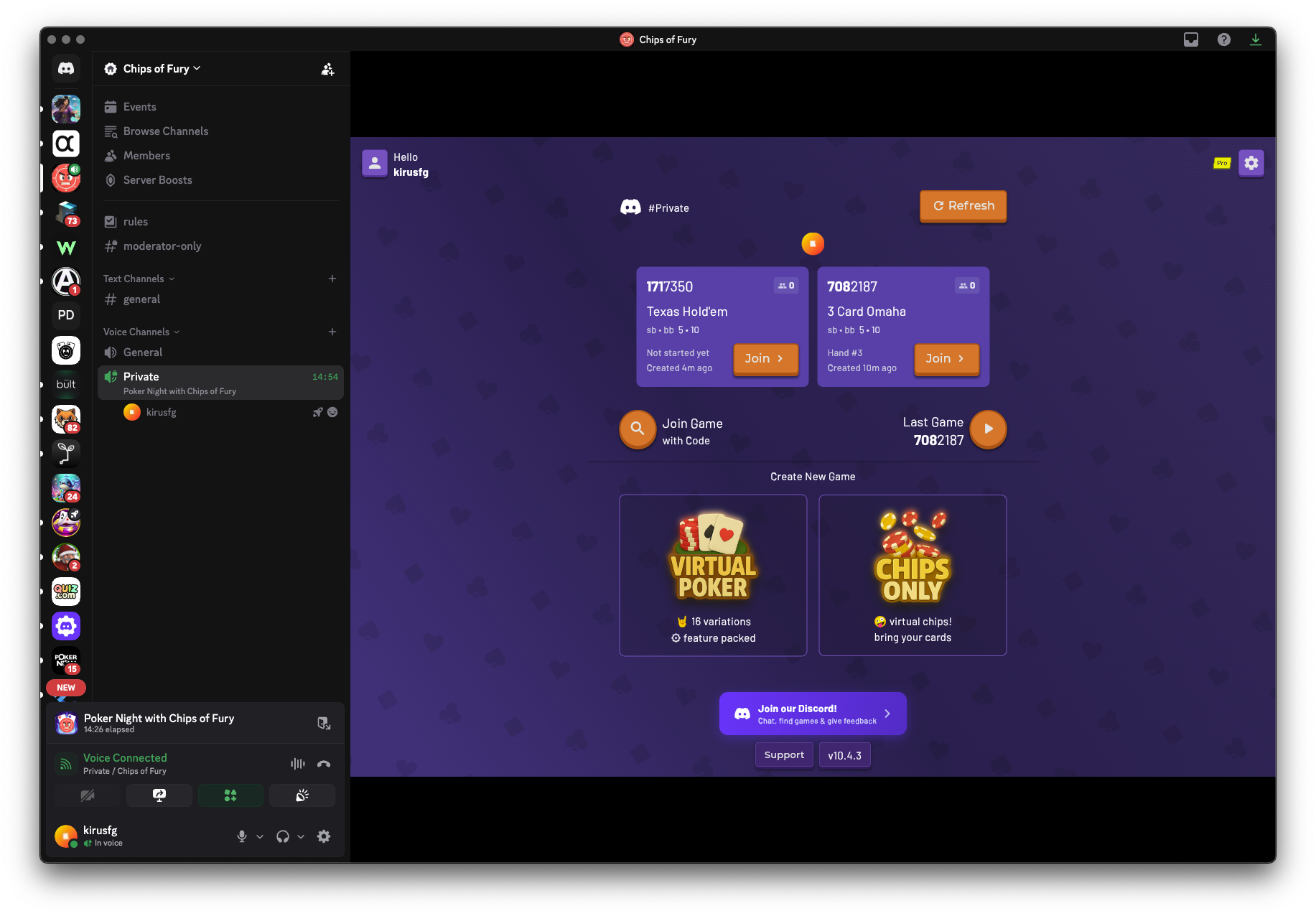
Firebase still doesn't fully work - their JS library calls too many external endpoints that we haven't mapped yet. We've parked it for now. The game runs fine without analytics, and we couldn't wait to let people on Discord play Chips of Fury any longer.
If we ever get Firebase working in Discord's sandbox, we'll share what we learned.